

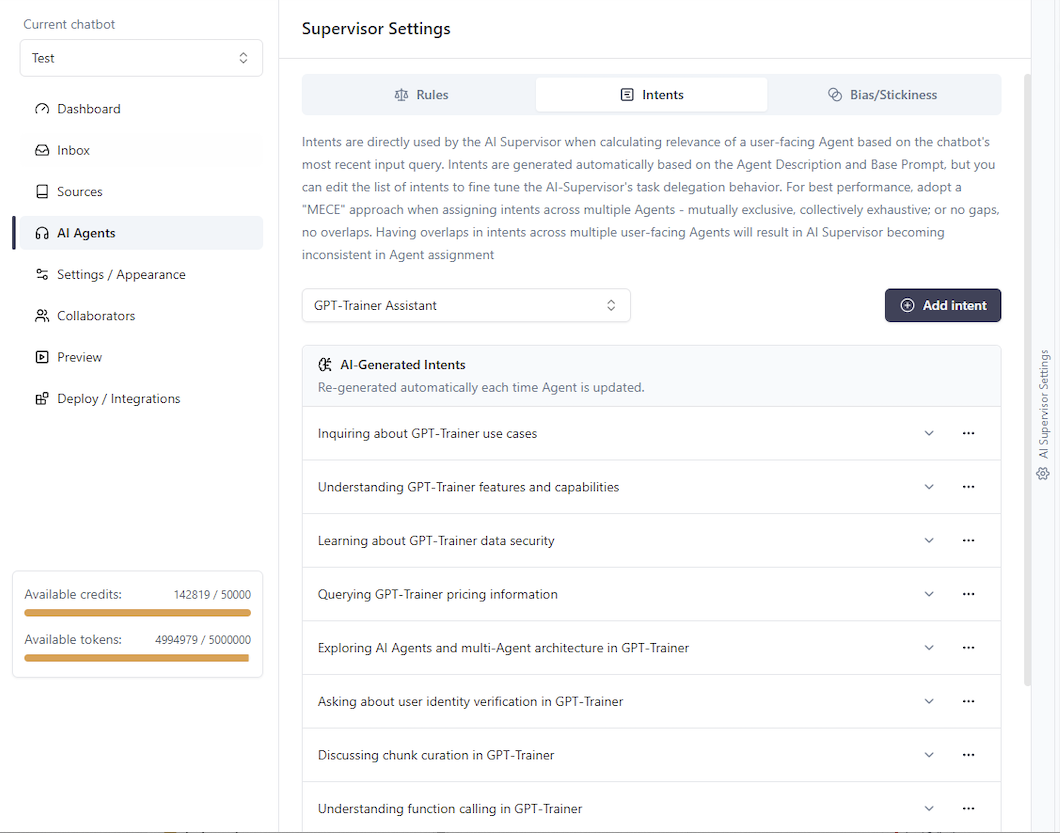
 Here, you will see the intents that have been automatically generated by the AI Supervisor based on
its interpretation of the Agent’s function. When a user submits a query, if you have more than one active user-facing Agents set up, then our AI will extract the user’s intent and try to find the closest match across all Agents. The Agent chosen to handle the user’s query (in the absence of Overrides) will be the one that carries the closest matching intent.
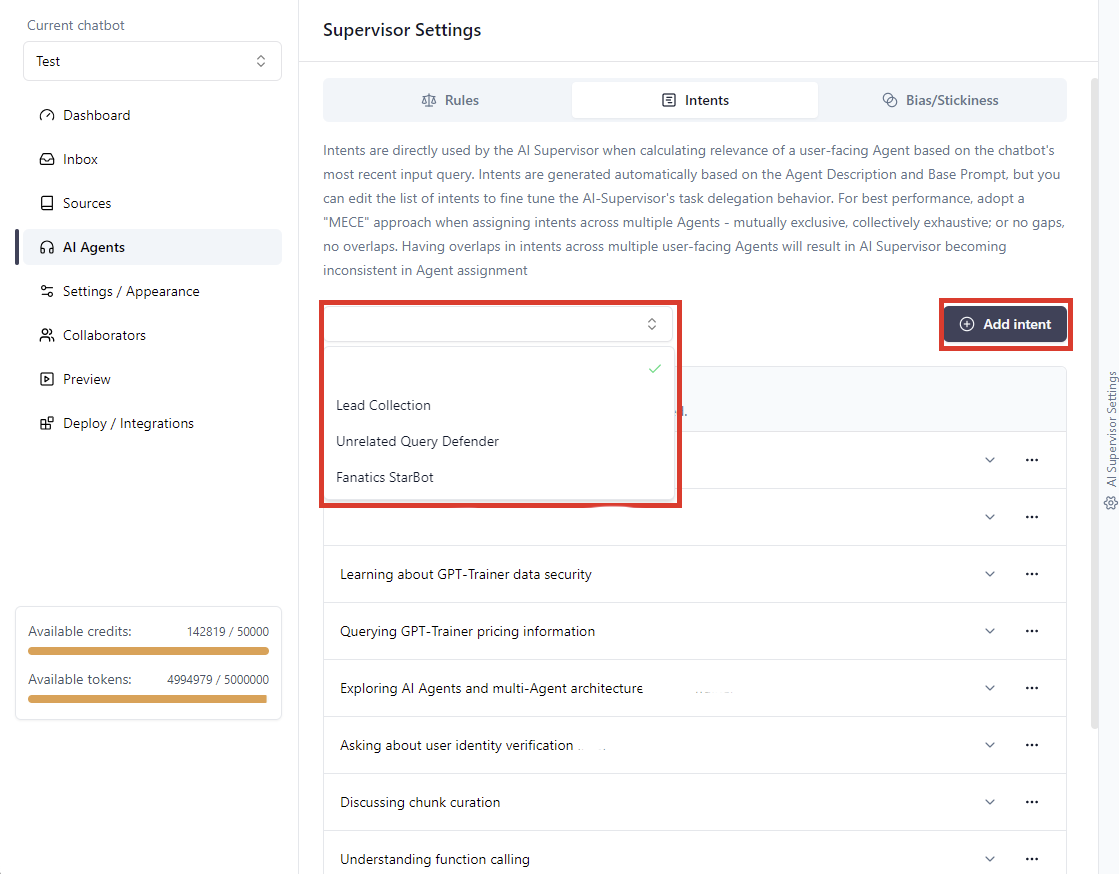
To add new intents, select the Agent that you want to fine-tune, then click “Add intent”.
Here, you will see the intents that have been automatically generated by the AI Supervisor based on
its interpretation of the Agent’s function. When a user submits a query, if you have more than one active user-facing Agents set up, then our AI will extract the user’s intent and try to find the closest match across all Agents. The Agent chosen to handle the user’s query (in the absence of Overrides) will be the one that carries the closest matching intent.
To add new intents, select the Agent that you want to fine-tune, then click “Add intent”.
 Then, specify the intent along with a few example queries that users could input which demonstrates this intent.
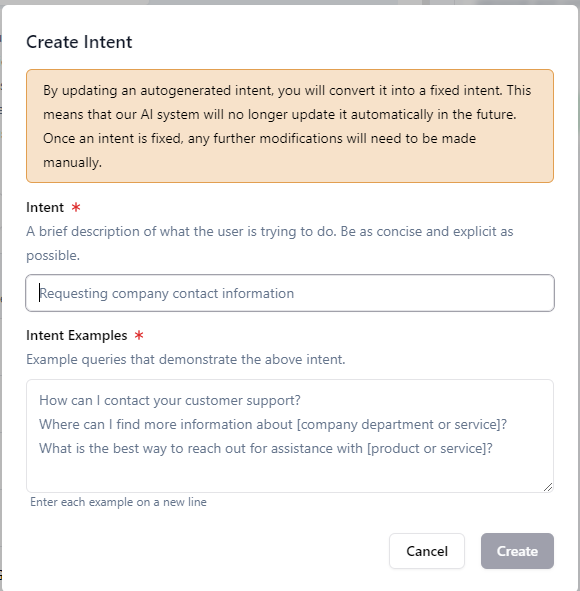
Note: AI-Generated Intents will be overwritten each time you edit the Agent name, description, or prompt.
On the other hand, Fixed Intents are permanent and only deleted if you manually do so.
When should I fine-tune Agent intents?
For most use cases involving general Q&A, fine-tuning intents is not necessary. Our own internal tests have shown that AI-generated intents are typically sufficient for effective Agent routing. Allowing bot makers to control intent classification at a granular level empowers them to enhance chatbot performance in situations where many user-facing Agents are involved, or where the chatbot requires a high degree of precision. When designing a multi-agent setup, we recommend keeping to a “MECE” approach. “MECE” refers to - Mutually Exclusive, Collectively Exhaustive. In other words, no gaps, no overlaps. Ideally, you want the situation where:User-facing Agent A handles:- intent class 1- intent class 2- intent class 3
- etc.
User-facing Agent B handles:- intent class 10- intent class 11- intent class 12and there is minimal overlap in intents among Agents. All your Agents combined should cover all possible intents your users might have.
- etc.
 But since you can’t ever account for all intents in the universe, and given the fact that intents are
presented in natural language which can have multiple permutations to express the same meaning,
there is no deterministic way to get 100% consistency. This is true for all chatbots
that rely on “intent classification” workflows, regardless of whether they are
LLM-powered or take a traditional “flowchart” approach.
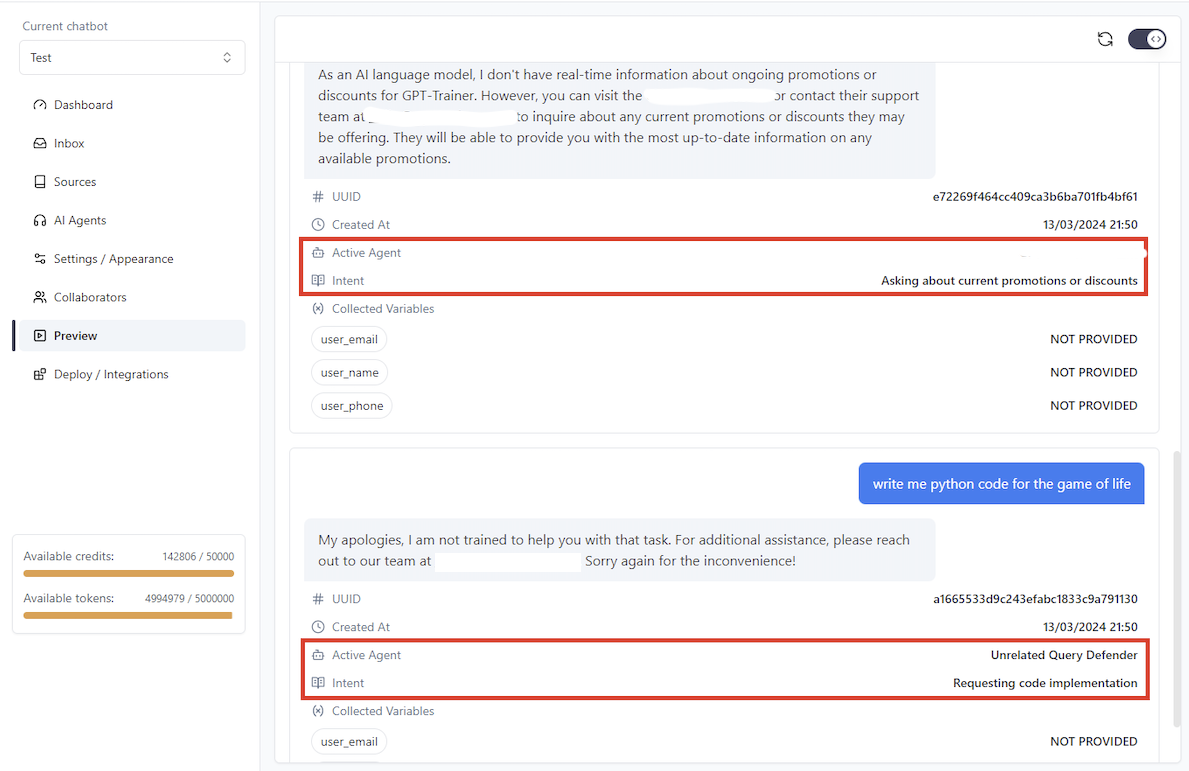
During your chatbot’s operations, it is important to monitor incoming conversations and identify instanceswhere the wrong Agent was chosen to handle a user’s query. In these situations, we recommend that you makeuse of our “Debug mode”. In this mode, if you have multiple user-facing Agents set up, you will see “Intent” and “Active Agent”show up alongside every user query that underwent Agent routing.
If the incorrect Agent has been assigned, a quick and effective fix is to add the intent and the corresponding user query to what should have been the correct Agent to handle the request within AI Supervisor Settings -> Intents. This will ensure that if queries of the same type were to come up again, the correct Agent would be chosen. Providing more examples for this intent will further reinforce the ability for the AI Supervisor to classify similar cases in the future.
But since you can’t ever account for all intents in the universe, and given the fact that intents are
presented in natural language which can have multiple permutations to express the same meaning,
there is no deterministic way to get 100% consistency. This is true for all chatbots
that rely on “intent classification” workflows, regardless of whether they are
LLM-powered or take a traditional “flowchart” approach.
During your chatbot’s operations, it is important to monitor incoming conversations and identify instanceswhere the wrong Agent was chosen to handle a user’s query. In these situations, we recommend that you makeuse of our “Debug mode”. In this mode, if you have multiple user-facing Agents set up, you will see “Intent” and “Active Agent”show up alongside every user query that underwent Agent routing.
If the incorrect Agent has been assigned, a quick and effective fix is to add the intent and the corresponding user query to what should have been the correct Agent to handle the request within AI Supervisor Settings -> Intents. This will ensure that if queries of the same type were to come up again, the correct Agent would be chosen. Providing more examples for this intent will further reinforce the ability for the AI Supervisor to classify similar cases in the future.